Zortrixfix
Arc Module
Arc Module
Couldn't load pickup availability
Self-paced learning overview
- 📦 Digital file available after purchase
- 🔄 Long-term availability
- 🛡️ Secure checkout
- 🔄 Content updated in 2026
1. Problem Statement
Struggling to bring all stages of a 3D scene into one clear process? You’re not alone: when there are many topics, it is easy to lose the connection between idea, form, composition, light, surfaces, color, and details. Often, a learner already understands separate parts, but during a fuller scene the decisions may feel disconnected. Because of this, the work may feel unfinished, even when it contains interesting forms, lighting choices, or details. Arc Module was created to help you move through the full route of a learning scene, from the first idea to the final review.
2. Solution
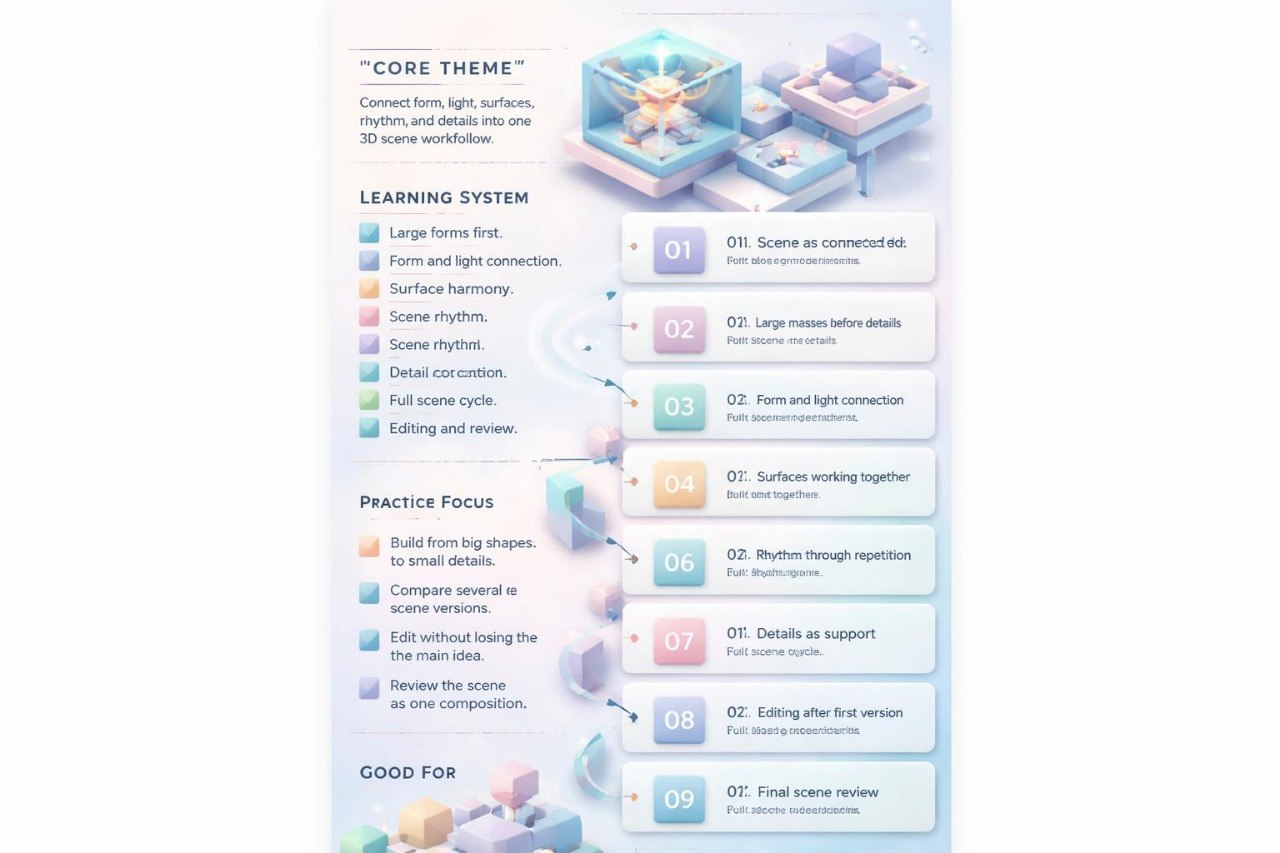
This course will teach you to study a 3D scene as a connected arc of decisions: idea, form, construction, composition, light, surfaces, color, details, editing, and review. You will explore how each stage affects the next one and why it is useful not to rush into small elements before the scene base is clear. The materials show how to build a learning work through large masses, a clear accent, rhythm, pauses, lighting, surface choices, and final composition cleanup. You will also learn to analyze your own scene from different angles: silhouette, space, mood, detail logic, and overall readability. Arc Module works well for learners who want the fullest format in this Zortrixfix line.
3. What’s Inside
Module 1: Idea as the Starting Point
In this module, you will explore why 3D scene work begins not with details, but with a short concept. The idea helps define the scene character, main form, mood, rhythm, and visual presentation type. The materials explain how to write a simple learning task: what should be in focus, which forms support the concept, and what mood the scene needs. You will work with short scene descriptions and turn them into visual orientation points. This helps begin work with a more organized direction.
Module 2: Large Form Construction
This block focuses on the main form of the scene. You will explore how to create the base construction through large masses, proportions, axis, silhouette, and spatial placement. The materials show why the large form should be readable before small details appear. You will compare several versions of one form and analyze which one better supports the scene concept. The practice part focuses on building the base without extra visual noise.
Module 3: Composition Arc
In this module, you will study composition as an arc followed by the viewer’s eye. You will explore where the visual route begins, where the main accent is placed, how supporting elements work, and where the scene has room to breathe. The materials explain the role of pauses, rhythm, directions, and distances. You will see examples where changing object placement fully changes scene perception. The practice task helps you create several composition versions with one idea but different presentation choices.
Module 4: Light for Form and Mood
This block helps you study how light both shows volume and supports scene atmosphere. You will learn how light direction affects form, how shadow creates contact with the surface, and how contrast helps separate planes. The materials also show when it is useful to make light softer and when a scene needs a clearer accent. The practice section invites you to compare several lighting options for one scene and evaluate how its mood changes.
Module 5: Surfaces and Material Feel
In this module, you work with surfaces as an important part of visual presentation. You will explore how smooth, matte, rough, reflective, or semi-transparent surfaces affect the perception of form. The materials explain why surfaces should support the general idea rather than exist separately from the scene. You will compare versions of one composition with different surface choices. Special attention is given to avoiding overload from too many textures.
Module 6: Color Logic of the Scene
This block focuses on color. You will explore how a palette can support mood, separate objects, guide the eye, and strengthen compositional rhythm. The materials explain why a restrained palette often helps the scene feel more organized. You will work with several color versions of one scene and analyze where color supports the main form and where it distracts. The practice part helps shape a more careful approach to color accents.
Module 7: Details in a System
In this module, you will study how to add details without losing the main form. Details can support rhythm, show object character, highlight direction, or add depth to a scene. At the same time, too many small elements can make the work less readable. The materials explain grouping, repetition, distance, and placing details under the main accent. In the exercise, you will create several detail versions and compare which one supports the scene more clearly.
Module 8: Stylization with Structural Support
This block helps connect stylized presentation with construction logic. You will explore how to change form, proportions, surfaces, color, and rhythm so the scene has character while keeping readability. The materials show how simplification or enlargement of certain parts can work within the general system. The practice part invites you to create a stylized version of a learning scene based on an already organized construction.
Module 9: Editing After the First Version
In this module, you will learn to review a scene after creating the first full version. You will explore how to notice weaker areas: unclear accent, extra details, overloaded background, weak contrast, unclear eye path, or surfaces that do not support the general mood. The materials give a staged editing method: first the large form, then composition, then light, surfaces, color, and details. This approach helps edit the work carefully, without randomly adding new elements.
Module 10: Final Arc Scene Review
The final module connects all course topics into one review. You analyze the scene through questions: is the idea clear, is the main form readable, does the composition arc work, does light support volume, do surfaces work together, does color help, do details have a role? You also check the scene from a distance to see overall readability before looking at small elements. This module completes the learning route and helps shape your own system for reviewing 3D works.
4. Who is this for?
✅ Works well if you:
- already know basic and mid-level 3D design topics;
- want to work with the full learning cycle of a scene;
- want to connect form, composition, light, surfaces, color, and details;
- notice that it can be difficult to bring all decisions into one work;
- like analyzing several versions of one scene;
- want to give more attention to final editing;
- are looking for the broadest tier in this Zortrixfix line.
❌ Not for you if you:
- are only beginning your 3D design study;
- are not ready to work with many topics at the same time;
- are looking for a short introductory material;
- do not plan to complete practice tasks;
- want material about only one separate part of a 3D scene;
- expect claims about results outside the learning process.
5. What You’ll Learn
After working with Arc Module, you will be able to:
- write a simple idea for a learning 3D scene;
- build a base through large masses, axis, and proportions;
- create a composition arc for eye movement;
- work with light as part of form and mood;
- choose surfaces according to the general idea;
- use color for accent, rhythm, and plane separation;
- add details as part of a system, not random decoration;
- create stylized presentation based on construction;
- edit a scene after the first version;
- review work through a full final checklist;
- compare different versions of one scene;
- better understand how all stages of 3D work connect with each other.
6. 30-day payment review period
For Arc Module, there is a 30-day payment review period according to store rules and the terms of this course. If, after reviewing the materials, you feel that the structure, topics, or format do not match your learning expectations, you may contact the Zortrixfix team within the stated period. Review terms are shown on the checkout page and depend on store rules. We describe this tier through modules, practice tasks, learning resources, and topics so you can evaluate its content in advance. Before placing an order, we recommend reading the description carefully, especially if you are choosing the broadest option in this line.
Do I need previous 3D design experience?
Do I need previous 3D design experience?
No, the materials are created to help you move through the topic gradually. You can begin with basic ideas, then continue toward more detailed examples, scenes, forms, and composition.
What format are the materials in?
What format are the materials in?
The materials are presented as structured lessons, modules, practical tasks, explanations, and visual examples. Each tier has its own depth, number of learning blocks, and supporting resources.
Share